
As a remote professional, I'm constantly on the lookout for tools that can streamline communication and make my workflow smoother. Video recording platforms have become indispensable, and I've recently spent time experimenting with two popular options: Tella TV and Loom. Both are good in their own right, but they cater to slightly different needs and user preferences.
In this post, I'll break down my experience with Tella TV and Loom, highlighting their strengths and weaknesses, and helping you decide which might be the better fit for your next video project. This comparison focuses on the features I've personally used and found most useful, rather than an exhaustive list of every single function each platform offers. For a complete rundown, check out their sites directly.
First Impressions
Both Tella and Loom excel at making video recording accessible. The core concept is simple: record your screen, your webcam (or both!), add some polish, and share.
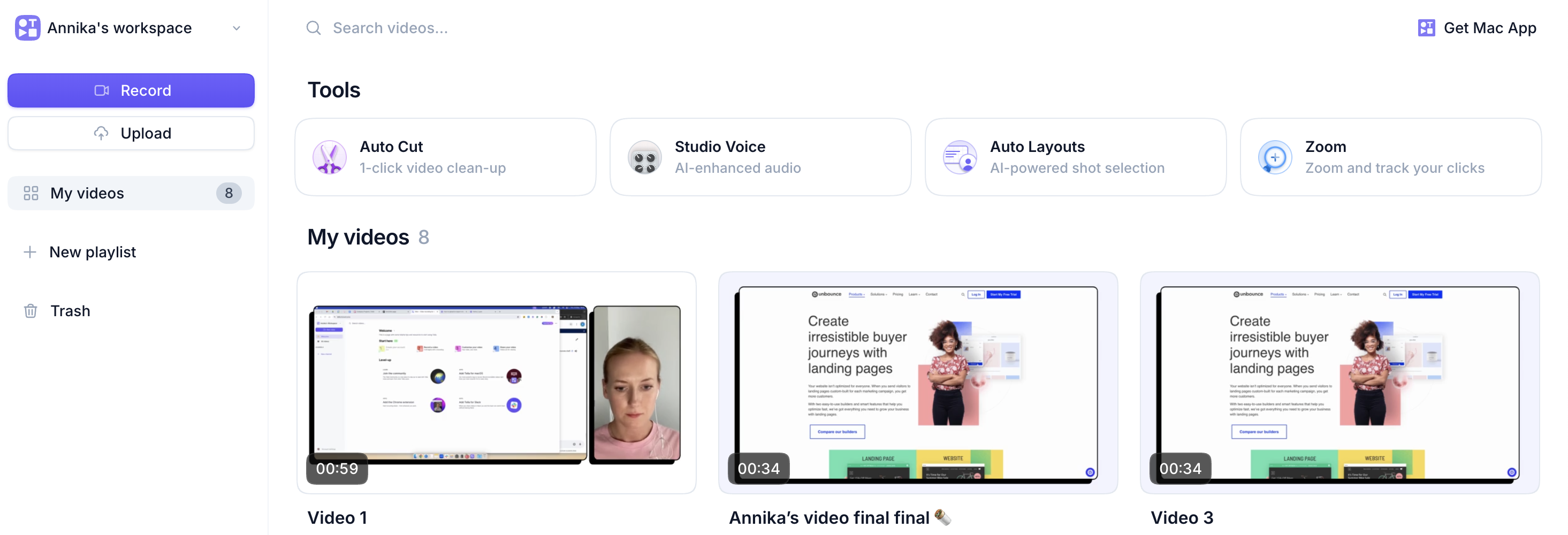
Loom has been around for a while and is often the go-to for quick, asynchronous video messages. Its strength lies in its simplicity and speed. You can hop on, record a message, and share a link in minutes. It feels very much like an extension of your email or chat, but with a personal touch.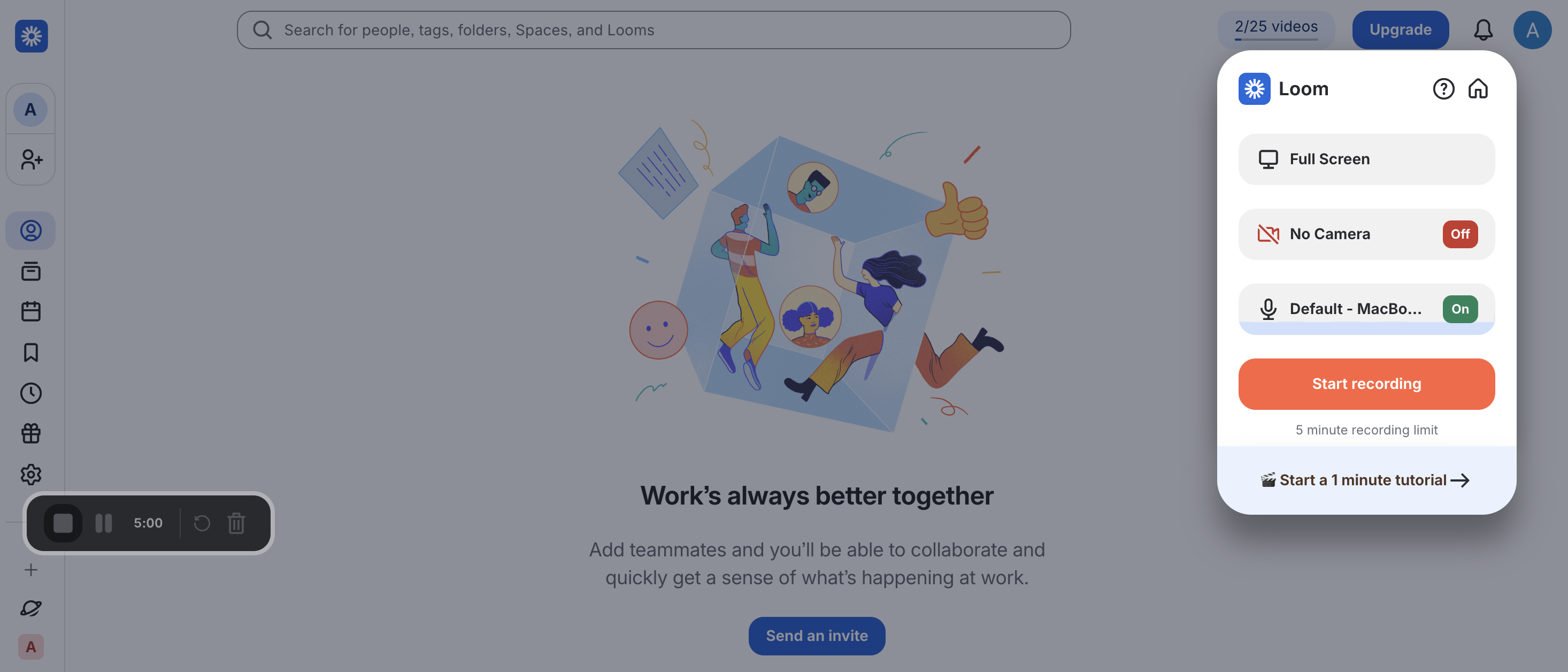 Tella TV, on the other hand, feels a bit more like a production studio in a browser. It has a slightly more polished and visually appealing interface. If you're looking to create videos that are not just informative but also visually engaging, Tella stands out.
Key Features
Here's a look at some of the key features and how Tella TV and Loom compare:
| Feature | Tella TV | Loom |
|---|---|---|
| Best For | External & Creative. Marketing, course creators, sales demos, and building a personal brand. | Internal & Teams. Quick updates, bug reports, feedback, and async meetings. |
| Pricing Model | Free Trial Only. 7-day free trial. Paid plans start at ~$15/mo (billed annually). | Free Plan Available. Free "Starter" plan (limit 25 videos, 5 mins). Paid starts at $12.50/mo. |
| Recording Style | Clip-Based. Record in separate segments (intro, demo, outro) and stitch them together easily. | Continuous. Designed for "one-take" recording (though you can pause). |
| Fixing Mistakes | Re-record Clips. If you mess up a section, just delete that clip and re-do it without restarting the whole video. | Live Rewind. Hit a key to delete the last 5 seconds while recording and keep going. |
| Visual Customization | High. Custom backgrounds, borders, branded logos, and sleek layouts. | Basic. Simple camera bubble sizing and canvas backgrounds. |
| Post-Production Editing | Customizable. You can move, resize, or hide your camera face after you finish recording. | Basic. Your camera position is "baked in" to the final video file. |
| Zoom Effects | Snap Zoom. Easily add professional "zoom in" effects to clicks/actions during editing. | None. (Offers live drawing tools instead). |
| AI Features | AI Editing. Includes silence removal, filler word removal, and auto-generated subtitles. | Loom AI. Includes silence/filler removal, plus auto-titles, summaries, and chapters (Add-on cost). |
| Resolution | Up to 4K (on paid plans). | Up to 4K (on Business/paid plans). |
| Sharing & Collab | Public Links. Great for external sharing. Basic team workspaces available. | Team Hub. Robust internal workspace with rich comments, emoji reactions, and notifications. |
What I Love About Tella TV
One of the standout features for me in Tella is the level of visual control. The ability to upload completely custom backgrounds and complete it with our company logo, instantly elevates the professionalism of my videos. It's like having a virtual green screen that's incredibly easy to use.
I also really appreciate the flexible layout options. Whether I want my face as a small bubble in the corner while I walk through a presentation, or a larger picture-in-picture, Tella makes switching between these effortless.
And then there's the zoom option. This is my favourite for client-facing videos. Being able to seamlessly zoom in on specific clicks or actions makes instructions super clear and ensures the viewer doesn't miss any important details. It's a feature I haven't found in other tools that makes Tella uniquely valuable for walkthroughs and tutorials.
What I Love About Loom
Loom's superpower is its speed and simplicity. For those moments when you need to explain something quickly to a colleague, give feedback on a design, or just send a personal update, Loom is fantastic. You click record, do your thing, and share. It removes friction and encourages more frequent, informal video communication.
The team features in Loom are also very well-developed. If you're looking for a solution that integrates smoothly into a team's daily operations, allowing for shared libraries and easy collaboration, Loom is hard to beat.
Which One Should You Choose?
The "better" tool really depends on your specific needs:
- For Teams & Internal Communication: Loom is generally the stronger choice. Its ease of use, speed, and robust team features make it ideal for fostering quick, asynchronous communication within an organization.
- For Solo Entrepreneurs, Client-Facing Videos & Visual Branding: Tella TV shines here. If you want your videos to look polished, branded, and professional – like you've invested time in production even if you haven't – Tella is your best bet.
My Personal Preference
If I had to pick one for myself, and considering my need for both internal efficiency and external presentation, I often find myself leaning towards Tella TV for client-facing work due to its superior visual customization and the impactful zoom feature. However, for quick internal explanations or team updates, Loom remains my go-to for its sheer speed and simplicity.
Which tool do you prefer? Or is there another hidden gem out there that I haven't discovered yet?
Connect with me on LinkedIn and let me know, or drop me a message here. I'm always looking for new ways to make remote work a little more efficient.